SMS Send Workflow
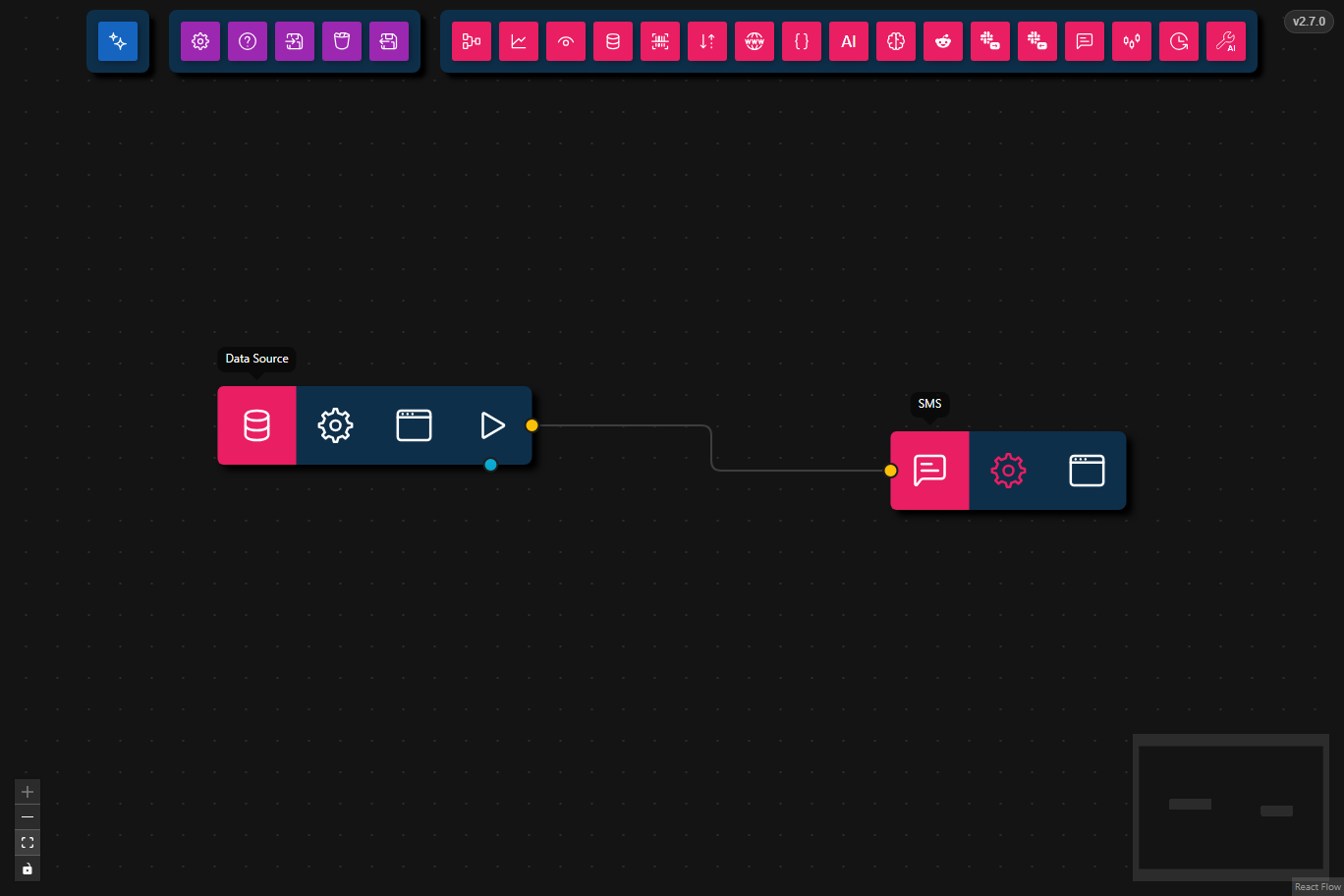
This workflow sends an SMS message using the SMS output node.
- Preview
- JSON
- Node Configuration
- Sends a text message to a phone number
- Uses a JSON Data Source node for
phoneNumberandmessage - Uses the SMS output node to deliver the SMS
{
    "nodes": [
        {
            "id": "04986b25-83f4-443a-80d3-4ab37f03ead3",
            "type": "sms",
            "data": {
                "title": "SMS",
                "serialPort": "",
                "baudRate": "115200"
            },
            "position": {
                "x": 544,
                "y": 154.5
            },
            "measured": {
                "width": 120,
                "height": 40
            },
            "selected": false
        },
        {
            "id": "edb31da8-f866-4211-b2f3-cbedddece248",
            "type": "data-source",
            "data": {
                "title": "Data Source",
                "dataSource": {
                    "type": "json",
                    "value": "{\n  \"phoneNumber\": \"+12345678901\",\n  \"message\": \"Hello from Agentic Signal.\"\n}"
                }
            },
            "position": {
                "x": 201.5,
                "y": 131.5
            },
            "measured": {
                "width": 160,
                "height": 40
            },
            "selected": false,
            "dragging": false
        }
    ],
    "edges": [
        {
            "source": "edb31da8-f866-4211-b2f3-cbedddece248",
            "target": "04986b25-83f4-443a-80d3-4ab37f03ead3",
            "type": "smoothstep",
            "animated": false,
            "sourceHandle": "flow",
            "targetHandle": "flow",
            "id": "xy-edge__edb31da8-f866-4211-b2f3-cbedddece248right-source-04986b25-83f4-443a-80d3-4ab37f03ead3left-target"
        }
    ]
}
- Data Source
- Input: JSON object containing
phoneNumberandmessage
- Input: JSON object containing
- SMS
- Output: Sends the message to the configured phone number
- Requirements: SMS delivery configuration must be set up in
Agentic Signal
Steps
- Load the workflow in
Agentic Signal. - Review the Data Source node JSON and update the
phoneNumberandmessagevalues. - Verify SMS delivery settings in
Agentic Signal, if required by your SMS provider. - Run the workflow to send the SMS message.
Customization
- Change the
phoneNumbervalue to the destination phone number. - Update the
messagetext to send a custom notification. - Add additional nodes upstream to generate dynamic SMS content from other sources.