This feature is available in the PRO subscription tier. Learn more about PRO
SMS Node
The SMS Node allows you to send SMS messages using a Waveshare SIM7600G-H 4G dongle connected to your server or PC via serial port.

If you are running Agentic Signal from Docker (see Quick Start guide), only serial ports explicitly mapped from the host into the container will be discoverable and usable by the SMS Node.
TIP: For the SMS node to work, you must select the serial port that corresponds to the modem's AT command interface. On Windows, this is usually the port with AT in its name (e.g., Simcom HS-USB AT PORT 9001 (COM13)).
- Windows
- Linux
- macOS
You only need to forward the COM port that corresponds to the modem's AT interface (the one with AT in its name). For example:
docker run --device='//./COM13' ...
Forward only the device that provides the AT command interface (e.g., /dev/ttyUSB2):
docker run --device=/dev/ttyUSB2 ...
Forward the serial device path for the modem's AT interface, usually /dev/tty.usbmodem* or /dev/tty.SIMCOM*.
docker run --device=/dev/tty.usbmodem14101 ...
Prerequisites
- A Waveshare SIM7600G-H 4G dongle (or compatible)
- Install the Waveshare driver if needed for your OS (double-check with https://www.waveshare.com/wiki/SIM7600G-H_4G_DONGLE):
- SIM card with SMS capability
- The dongle must be connected to your server/PC and recognized as a serial port (e.g.
/dev/ttyUSB2on Linux,COM3on Windows) - SIM PIN must be unlocked by the OS or modem manager before use
Configuration
The SMS Node is configured using the serial port and optional baud rate settings. The node also validates the upstream JSON payload before sending the message.
- Node Settings
- Expected Input Format
- Configuration Schema
Configure the connected modem by selecting the correct serial port and, if needed, the baud rate.
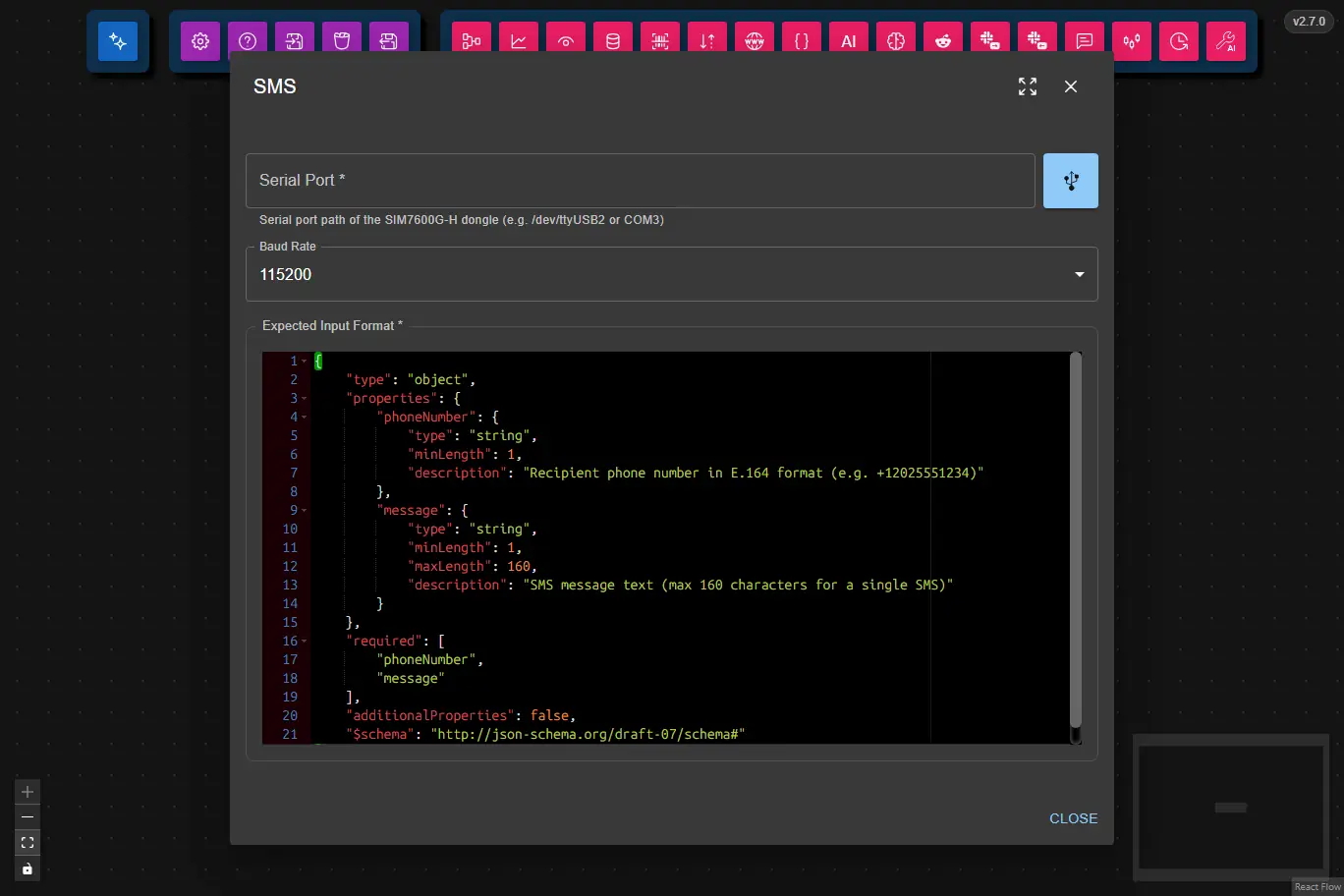
The node expects a JSON object from upstream nodes matching the following schema:
| Field | Type | Required | Description |
|---|---|---|---|
phoneNumber | string | Yes | Recipient phone number in E.164 format (e.g. +12025551234). |
message | string | Yes | SMS message text, max 160 characters for a single SMS. |
This is the full JSON Schema for the node's data configuration object, generated from the Zod schema used to validate the node at runtime.
{
  "type": "object",
  "properties": {
    "serialPort": {
      "type": "string",
      "description": "Serial port path for the GSM modem (e.g., COM3, /dev/ttyUSB0)"
    },
    "baudRate": {
      "type": "string",
      "description": "Baud rate for the serial connection (e.g., 9600, 115200)"
    }
  },
  "required": [
    "serialPort",
    "baudRate"
  ],
  "additionalProperties": false
}
Features
- Sends SMS to any phone number using a 4G dongle
- Supports serial port autodiscovery (dropdown selection)
- Configurable baud rate
- Input validation and error reporting
How it works
- The node opens the selected serial port and communicates with the dongle using AT commands.
- It sends the SMS using the standard GSM AT command sequence (
AT+CMGF=1,AT+CMGS=...). - Errors (e.g. port not found, SIM locked, network issues) are reported in the logs dialog.
Notes
- The SIM PIN must be unlocked by your OS (Windows Cellular settings, Linux ModemManager, etc) before the node can send SMS.
- If your setup requires entering the PIN manually, unlock the SIM before using this node.
- Serial port autodiscovery is available, but you can always enter a port manually if needed.
Troubleshooting
- If you see errors about the port or SIM, check that the dongle is connected and the SIM is unlocked.
- On Linux, you may need to add your user to the
dialoutgroup or run as root to access serial ports. - On Windows, ensure the correct COM port is selected and not in use by another program.