Brave Search Tool
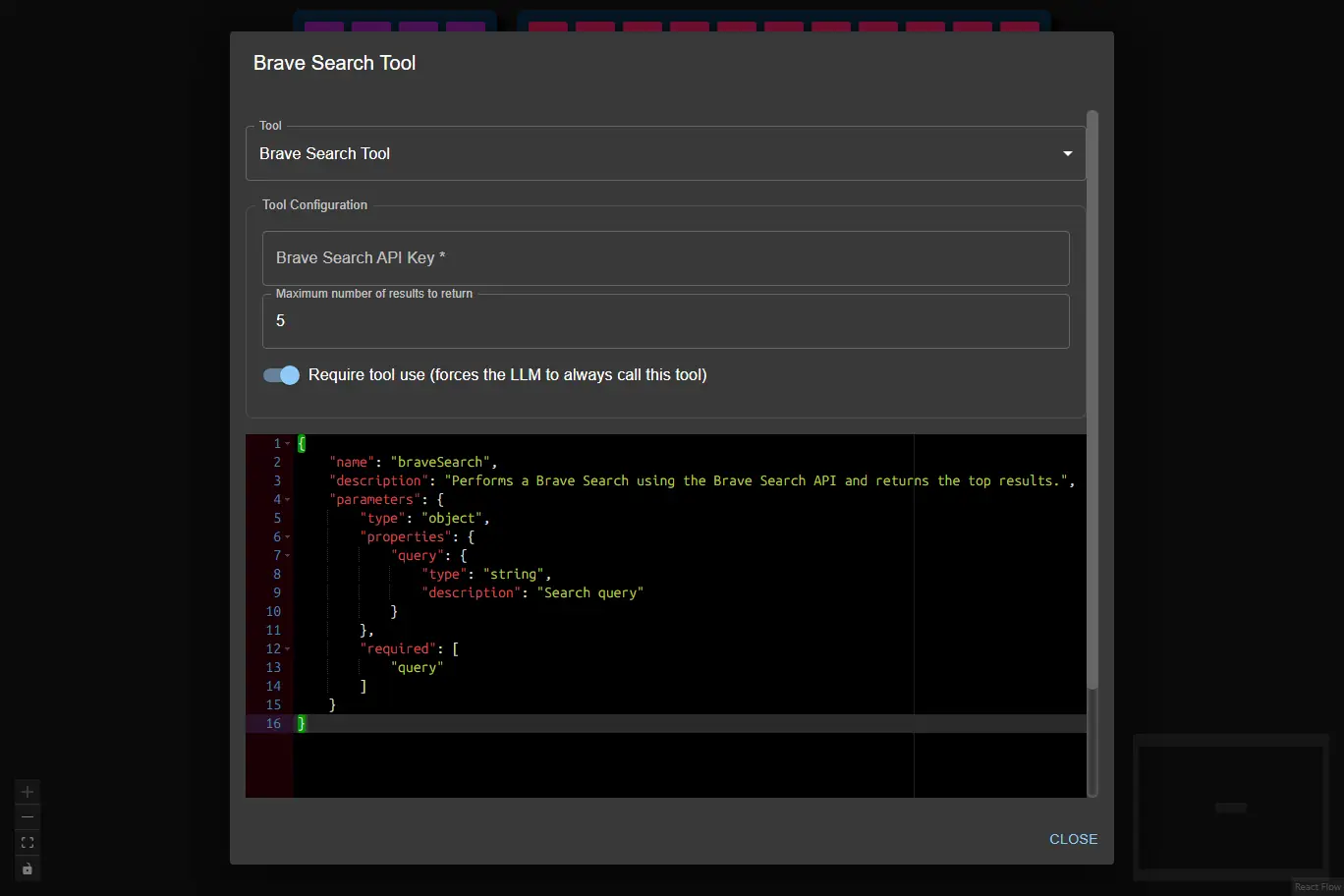
The Brave Search Tool performs a web search using the Brave Search API and returns the top results.
It is useful for workflows that require up-to-date web information or need to augment AI responses with search results.
- Inputs
- Outputs
- Node Type
query¹ (string): Search query (e.g.,"latest AI news")apiKey(string, user config): Brave Search API KeymaxResults(integer, user config): Maximum number of results to return (default: 5, min: 1, max: 20)requireToolUse(boolean, user config): Require tool use (forces the LLM to always call this tool; default: true)Note: When enabled, the node will retry tool calls up to the number of times set in Max Tool Retries in the AI Data Processing Node.
(1) Provided by the AI Data Processing Node as a result of processing it's input.
title: Title of the search resulturl: URL of the resultdescription: Short description or snippet
Example Output:
[
    {
        "title": "Brave Search launches new features",
        "url": "https://brave.com/search-update",
        "description": "Brave Search introduces new privacy-focused features for users."
    },
    {
        "title": "What is Brave Search?",
        "url": "https://brave.com/search/",
        "description": "Learn about Brave Search, a private search engine from Brave."
    }
]
ai-tooltoolSubtype:brave-search