Workflow Input Node
The Workflow Input Node turns a workflow into a command. You give it a name, such as summarize. Whenever the command is called, the node starts the workflow and passes the caller's input on to the next node. Pair it with a Workflow Output Node, which hands the result back to the caller.

Who Can Call a Command
| Caller | How | Which workflow runs |
|---|---|---|
| The AI Buddy chat | Type /summarize followed by the input. | The workflow saved in your workflows folder, run on the AI Buddy layer. A workflow that is only open in a layer is unknown to the chat: save it to the folder first. |
| Outside apps (scripts, browser extensions, other programs) | POST /workflows/summarize on port 8001, with a token. See Calling from Outside Apps. | A workflow open in one of your layers whose Workflow Input has Run on. Never the AI Buddy layer. |
Agentic Signal comes with built-in commands that work this way: /research, /summarize, /weather, /crypto, /convert and /holidays. A workflow you save under the same command name replaces the built-in one.
Configuration
- Command
- Description
- Configuration Schema
The command's name: lowercase letters, digits and hyphens, for example research or daily-report.
The node's title shows it, e.g. Workflow Input · /summarize.
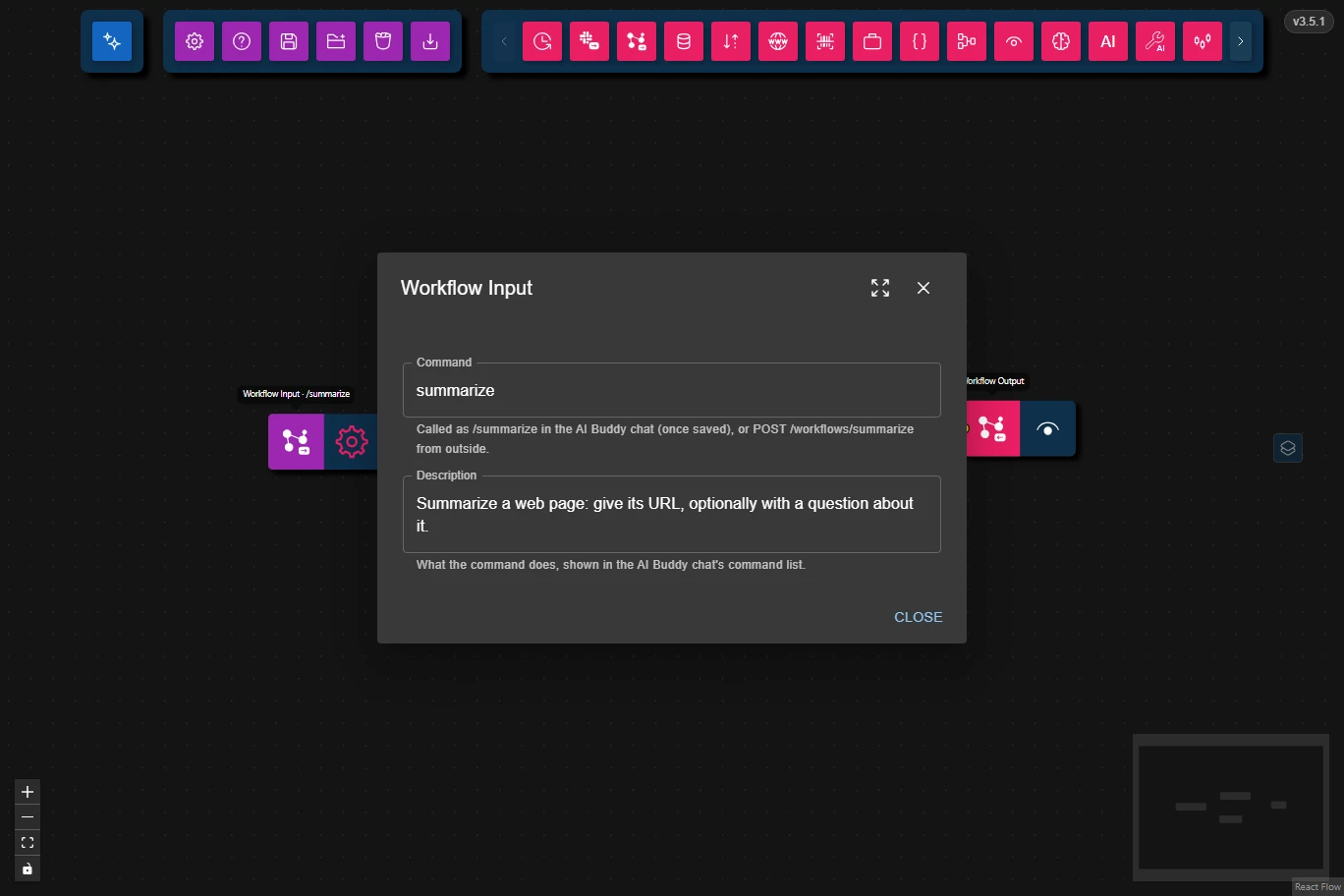
What the command does. It is shown next to the command in the AI Buddy chat's / list, and to outside apps that list the commands. The AI Buddy also reads it to decide when to suggest the command.
This is the full JSON Schema for the node's data configuration object, generated from the Zod schema used to validate the node at runtime.
{
    "type": "object",
    "properties": {
        "command": {
            "type": "string",
            "description": "The command that starts the workflow: lowercase letters, digits and hyphens, e.g. \"research\". Called as /research in the AI Buddy chat, or with POST /workflows/research from outside."
        },
        "description": {
            "type": "string",
            "description": "What the command does, shown in the AI Buddy chat's command list and to outside apps listing the commands."
        }
    },
    "required": [
        "command"
    ],
    "additionalProperties": false
}
The Run Button
Run means "start listening", as on the Slack Input Node, not "run once". While it's on, outside apps can call the command and the node shows as running. Press it again to stop.
On the AI Buddy layer the node listens by itself, so the chat can call it without pressing anything.
Output
Each call's input becomes the node's output:
- From the chat: the text after the command.
/summarize https://example.compasseshttps://example.comas the payload. - From outside apps: the request's body, in the same shape a Data Source Node holds, emitted the way a Data Source would emit it: JSON as JSON, or text with attached files.
Calling from Outside Apps
- Open Settings → Workflows → Outside connections and add a connection. Give it a name, and optionally limit it to some commands. Adding it copies its token.
- Open the workflow in a layer and press Run on its Workflow Input.
- Call the command:
curl -X POST http://localhost:8001/workflows/summarize \
  -H "Authorization: Bearer <token>" \
  -H "Content-Type: application/json" \
  -d '{"type": "json", "value": {"url": "https://example.com"}}'
The answer is {"result": …}, holding what reached the workflow's Workflow Output. GET http://localhost:8001/workflows (with the same header) lists the commands the token may call that a layer listens for right now. The Info box in the same Settings section describes the rest, including long runs started with the Prefer: respond-async header.
When a call fails, the answer is {"error": {"code": …, "message": …}}, with one of these statuses:
| Status | Meaning |
|---|---|
400 | The body isn't a Data Source sent as JSON (Content-Type: application/json). |
401 / 403 | The token is missing or unknown, or it may not call this command. |
404 | No layer, saved workflow or built-in has this command. |
500 | A node in the workflow failed; the error names it. |
503 | No layer listens for the command, every listening layer is busy, or Agentic Signal isn't open. |
504 | The workflow took too long. |
Calls are accepted from this computer only. To accept them from other computers on your network, turn on Accept calls from other computers on your network in the same Settings section. When running in Docker, publish port 8001 as well.
Common Use Cases
- Your own chat commands: Build a workflow, save it to the workflows folder, and call it from the AI Buddy chat.
- Scripts and automations: Run a workflow from a script, a scheduled job or another program.
- Browser extensions: Send a page's text or a selection to a workflow and show its answer.
- Replacing a built-in: Save your own
researchworkflow, with your own models and tools, to change what/researchdoes.
Best Practices
- Always end the workflow in a Workflow Output Node: without one, nothing goes back to the caller and the call waits until it times out.
- Write a clear Description: it is all the chat and outside apps see of the command.
- Give each outside app its own connection, limited to the commands it needs, so its token can be removed on its own.
Troubleshooting
- The command isn't in the chat's
/list: save the workflow to the workflows folder; the chat only knows saved workflows and built-ins. - Outside calls answer 503: press Run on the Workflow Input, and keep Agentic Signal open while calls come in.
- Outside calls answer 401: send the token as
Authorization: Bearer <token>, and check the connection still exists in Settings. - The call fails at a node: open that node's logs on the layer that ran the workflow.